
N.M.I.T Courses 2020
OSA501

OAS501
28-7-2020
Notes:
Have a history of notes of what we a doing so lars ca follow on our stuff.
Create a Blog and upload to https://larsoliverdam.github.io/docs/OSA501/
Include: past, present, future.
What went right, and wrong. Choose what u want to use the computer for, study gaming basic use.
Do not do on red network to experiment NETWORK based.
Crash towers TSA, Virtual machines beach mode. (Choose net501 or new I.P located.)
Use blue network to do whatever. Blue cables on the cabinet.
SSD drive in mac box and HDD take 1 or 2 keep in bag or cupboard. Screw drivers, cables etc at the front.
How to create a bootable USB: https://mspoweruser.com/how-to-create-a-bootable-usb-drive-for-windows-10/
RUFUS- https://rufus.ie/
Unetbootin- Lunix Drive (reads the hard drives.)
Buy 4 more USB 16GB.
Gparted-reads the hard drives
Clonezilla- clone the hard drive. (helps with system crashes)
Windows Stick: boot up and install - Can u find window images to install for free.. link will be on TEAMS. (windows 10doesnt expire.) https://portal.azure.com/?Microsoft_Azure_Education_correlationId=9f428e23-ed89-4828-8c87-a6a981fed7f4#blade/Microsoft_Azure_Education/EducationMenuBlade/software
Code: YDJ9N-K4H4G-2F24H-WBX6M-QJ3FM
Ubuntu: easy for beginners any questions, Controlled by Amazon. Search CPU and you be buying on off amazon HAHA. Can use as the operating system. A look into the windows from elsewhere.
Can SAVE. BACK DOOR to your operating system.
https://ubuntu.com/download/desktop/thank-you?version=20.04&architecture=amd64
My blog: sharleen-quinn.wixsite.com/website

OAS501
30-JULY-20
Notes:
UEFI: sitting between your software and hard drive/SSD.
BIOS: Defines what your pc wants. I.E bootup on USB
Format: putting partitions and partition table, (usually need to change/choose the right one.)
Ubuntu: starts Gparted which does partitions for all software’s.
Gparted is good for trouble shooting partitions on all hardware on the PC.
Dual Booting Technique:
A computer can have two operating systems, Dual Booting is a term used when u have two software’s on a single machine, you will be prompt.
mothod:
Today I did a window’s boot up with the Windows 10, I downloaded last night after lar's told us we will be installing today I have the code: YDJ9N-K4H4G-2F24H-WBX6M-QJ3FM.
So, I plugged in my SSD and USB boot-able drive, its loaded the
UEFI.
Activity:
Download windows:
Turning the NMIT Desktop on and pressing ESC, and it prompt the page (booting into UEFI).
You will see a menu, and this is where I can choose HDD or USB, bootup. And now I’m downloading the Windows 10.
When the SSD is loaded it can have not enough space, so you may need to clear it up first Prior to the windows 10 down load.
Windows download takes about 15mins
I Entered sign in details and rebooted the system and was able to remove the USB.
What worked well: is Lars notes being really simple and he explains everything that complicated to be so simple!!
What didn’t work well: today I didn’t have any complications however loads of assistance was needed as ive never done this activity, but I feel very confident doing it again on my own.
Shrink C Drive:
Cleaning /shirking the windows partition, Control panel, Right click the C drive and then shrink. It automatically chose the size its re-shrink to. But you can choose to reduce by 50% I can edit this later and increase the compacity.
Install Buntu.
Instalment was easy. I was able to choose username and password. Ubuntu took a few mins to download.

OAS501
04 August 20
Boot Process:
Today I have windows on my HDD and will be downloading a second OS system Centos on the HDD. This is part of ASSESSMENT 2.
What worked well: managed to clear the HDD to have Windows 10 and Centos on the HDD.
Had three towers today as the first didn’t boot up, second was beeping and now third is downloading and booting successfully.
So, I shrunk the partition for 63GB instead of 120GB and now installing Centos. Though ESC and F9 and install centos.
I have to find out how to swap between the two OS systems- Ask Lars For help here.
Also googles how to do it before hand in case its simple.
But I had to delete centos and re install unbuntu as the questions we more simpler on Ubuntu.
Password: Godmode101
HYPERVISOR: A hypervisor is computer software, firmware or hardware that creates and runs virtual machines.
What didn’t Work well: using centos instead of ubuntu so I had to download ubuntu last minute.
AOS501
06 August 20
-what am I doing this morning?
I’m downloading virtual box today on ubuntu through the application/store
and Booting up in ubuntu and again in windows to see if both software’s are working together.
.
Password for ubuntu: Password1
What went well: : I managed to follow the instructions on google to open the machine interface. Now I need to find out how to add the unbuntu on it.
What didn’t go well: Again, the Ethernet cable was loose so, lars replaced it with a new cable and the internet was working again.
Because I choose do not install applications on the set up process I had to get lars to tell me the software name for “LibreOffice” which took 15 mins to download, I will be using the Word version to do simultaneously back-ups.


OAS501
11 AUG 2020
Notes
Today I will be creating a new Virtual box, and then adding the Ubuntu on it and setting up the backup software.
What went well:
The New set up of the window and then installing ubuntu on a virtual machine.
What didn’t go well:
What didn’t go well was not having some software’s on USB reading and having to format the USB to put software on it which took a few mins.
Next class, I will be creating a bootable USB called clonezilla, and this will create a backup for my OAS system on the main desktop and I can save screen shots from my virtual machine.
OSA501
13 AUG 20
What went well was downloading the assessments APP and customizing the desktop to be how I liked. and downloading a software system for a systematic back up.
What didn’t go well was the class was interrupted twice because of my son needing to be picked up due to covid’s rules with kids looking sick.
I have downloaded virtual box and installed ubuntu on it in case I need to do the assessment from home.


OSA 03-09-20
Notes:
Today I was finalizing the ‘VIRTUAL BOX’ activities on page 7
What went well: I managed to complete all the assessment paperwork, I just need to go the video recording now, so I will use the remaining of the day to research the options. Also lars explained how to expand the VB screen to be the same size as the desktop.
What did not go well: I had to trouble shoot a lot today on Terminal with the Application “Snap” it needed to be updated.
September 1st
OSA501 Blog
Notes:
Today I was re-writing the assessment and adding notes dates ETC to match the blog.
What went well: I managed to install ubuntu on the VB on the Ubuntu system, I had a few problems with the disk ejecting.
\run the CMD command to update and i installed the snap for software app.
What did not go well: the disk for the expansion pack “ADD ON” for the VB was not working well, Lars had to come help/assist with where to add the expansion pack he also explained the benefit of this and on already I can see the why its needed.
OSA501
Mid Term Break
We had a study Break from the 24th until the 29th of August .
Not Data Entry for this time
10 September 20
OSA501 Clonezilla
Notes:
had to check the internet on VM to make sure it had connection before saving it to clonezilla
What went well: Today I made a clone-zilla it took 1 hour, I had to use Lars 32GB usb. As mine was only 15gb and the backup was 21GB.
Also, I downloaded windows 10 education again- to make the “unattended install” for Question 1.
Following the Video on Lars blog https://www.windowscentral.com/how-create-unattended-media-do-automated-installation-windows-10
What Didn’t go well: I wasn’t able to start the screen recording for editing purposes this weekend and I really needed to have that done as I not sure how many days I have with Knox being sick.


15 September 2020
unattended windows install
What worked well today: Created the Unattended install Saved on my computer C:\Users\smqui\Downloads\Unattended Install\sources\Windows 10 Answers.
Also created a bootable Windows 10 Pro the added the file on to it and “installed windows on a spare HDD and took photos.
What did not go well: the bootable USB was having problems finding its location on my PC.
Took 15 times to find the Windows Rufus USB.
Lars Notes:
Terminal -work as an administrator
Transparent Terminal. Makes it easy to see google or applications (Guake Properties)
Visual Studio- can inter the scripts its more advanced than the normal terminal.
16th September 2020
Well these last few classes have felt merged and rushed trying to take photos of all the content and also create the videos to edit.
i realized i can't make a video so i have created a PowerPoint and completed a few Pages with the steps I've previously doe but haven't blogged about it.
OSA501
21st September 2020
OSA501
what went really well:Today i finished the Power point and added the missing content to the slides.
I really enjoyed making this assessment.
What didn't go well: i didn't meet dead line, I needed a 24 hour extension.
I also feel like i didn't use after class time wisely.
OSA501
22 SEPTEMBER 20
TEST
Today i did my theory test 1 on physical Windows 10 system with two dual booting OS’s.
i felt really confident in the answers and i had heaps of photo evidence of the the answers.

Today we looked into ASSESSMENT 3,
the reflective Journal and the ASSESSMENT 4 both due on the 15th NOVEMBER.
OSA501
24 September 20
Summer.
No School,
NO Exams,
No waking up early,
Unless your ME <3
Enjoy life with a smile.
SCHOOL HOLIDAYS
18th NOVEMBER -12TH OCTOBER

Operating System and Application Software
OSA501 13-OCTOBER- 2020
Assessment Practical 2 40% Due.
Today we talked about the New Assessment 3 With Lars. And what the expectations will be.
What went well: Do I continued the brainstorming for the Raspberry Pi 2 Build Computer ideas. Finding the component needed to build this.
What did not go Well: is I forgot to bring my Raspberry Pi and that way I was not able to start the construction.
Raspberry Pi 4
15 October 2020
OSA501
15-10-20
Today Lars Bought in a Raspberry Pi 4 and I swapped my PI 2 to the Newer Model ,doing this has made me research the new model to find out the basic’s , also Lars made me aware that I will have to improvise on the Wireless Keyboard Option to be Wired instead I’m ok with that its also made me change my mind on what I wasn’t to use the raspberry PI on as this Version 4 is so much more powerful and can be more adventurous with my idea.
Today I downloaded Ubuntu 20.04.1 LTS (Raspberry PI ¾) and used the Raspberry PI Imager from the Website. https://downloads.raspberrypi.org/imager/imager_1.4.exe
I researched some ideas on what I will use this for now: https://www.makeuseof.com/tag/different-uses-raspberry-pi/
Media Centre-Netflix, Lightbox, Spotify, YouTube. 4(PLEX SERVER)
Gaming Machine- Arcade Machine.
MINDCRAFT OMG. – this one excited me.
What worked well: The link above really helped drive me into what I would use this for. Which it would be a movie/stream/gaming portable device. I love the mind craft idea. the Netflix and music idea. And since Pi 4 has blue tooth id love to connect it to my Wireless Speaker.
What did not work well: today so far, no errors, However I had to download a imager to get software on the SD card for raspberry PI, That was interesting.

OSA501 20 Octomer 2020
Networking
We will need these setting’s DNS, IP, Router, Subnet.
Attached is a diagram of Lars explanation on the 4 words above.
What worked well: understand Net working and DNS named Server a little more in depth with lars talk.
What didn’t work well: I gave up on Raspberry Pi, I just didn’t understand it enough and what OSI would be good enough for the Questions on the Assessment.
I will now i'm looking for something new and will do the assessment on 128GB SDD.
I did loose enthusiasm to do this assessment today.
With 30 mins left I will use it to google some new ideas.


OSA501
22 OCTOBER 2020
Notes:Today I used G-Parted for the first time, was exciting I formatted the SDD hard drive.
I also created a ubuntu bootable USB with rufus and installed the Ubuntu 20.04 on to the fresh SDD.
What did go well: I still haven’t chosen what I want to use ubuntu for. And this program im not sure what I really want to create.
I will do some homework on ideas for the system.
what didn’t go Well I had 30 minutes of trouble shooting with formatting the SDD until I asked Lars how he would recommend it format. That’s when he said Gparted.

OSA501
27th of OCTOBER 2020
What did I do today towards my system build?
Today I googled the tweaks and downloaded it onto ubuntu so that I can then install my Type of THEME.
I am looking for a Pretty Theme where the font Colouring is changing. And the folders on the desk top can be changed also.
Link to download Tweaks: https://linuxconfig.org/how-to-install-tweak-tool-on-ubuntu-18-04-bionic-beaver-linux
Installation for Chrome extension: https://chrome.google.com/webstore/detail/gnome-shell-integration/gphhapmejobijbbhgpjhcjognlahblep
Themes that I will choose from: https://www.fossmint.com/best-ubuntu-themes/
Some links I Really liked.
Flat Theme: https://www.gnome-look.org/p/1013030/
POP theme: https://www.fossmint.com/pop-gtk-theme-an-eye-candy-theme-for-unity-gnome/
Axion Theme: https://www.gnome-look.org/p/1154707/
What went well: Lars explained the different Layers the comes with the Gnome install and extensions which helped me understand the GUI that I will soon come in to see.
What did not go well: The start up on the system didn’t read my Bios and I had to Press ESC to find my ubuntu IOS system. The system seemed to load very slowly and made it very hard to install TWEAKS.
Today the Hardware didn’t work. Its now 10.40am and I still haven’t been able to use my Ubuntu the Computer is not loading anything and the ubuntu system was VERY unresponsive.
Password: Password1
OSA501
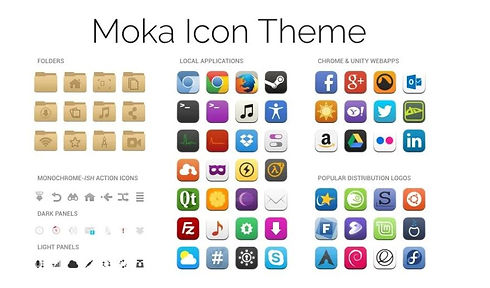
Moka Download
03 November 2020
OSA501
Notes:
Installed moka from here. https://itsubuntu.com/how-to-install-moka-icon-theme-in-linux/
What went well:
What didn’t go well.

OSA501
10th November 2020
Notes
What went well: I managed to Peer to peer with Jiyoung and we Set up the Firewall on PC1 which is my computer,
I ten was able to re configure all the app’s and complete the Activities for the assessment.
What didn’t go well: used today to re-install ubuntu so I wasn’t able to customise the Themes and Icons ..I’m hoping to do it on the 12th of November.

OSA501
12 November 2020
What went well: today i finished up on the ubuntu system work and i Completed my blog for the Reflection Journal.
What didn't go well: The themes and Icons weren't activating on my ubuntu.